
PDF Studio is your private, all-in-one PDF toolkit — over 70 tools that run entirely on your device. No account, no tracking, no uploads.
Download on the App Store
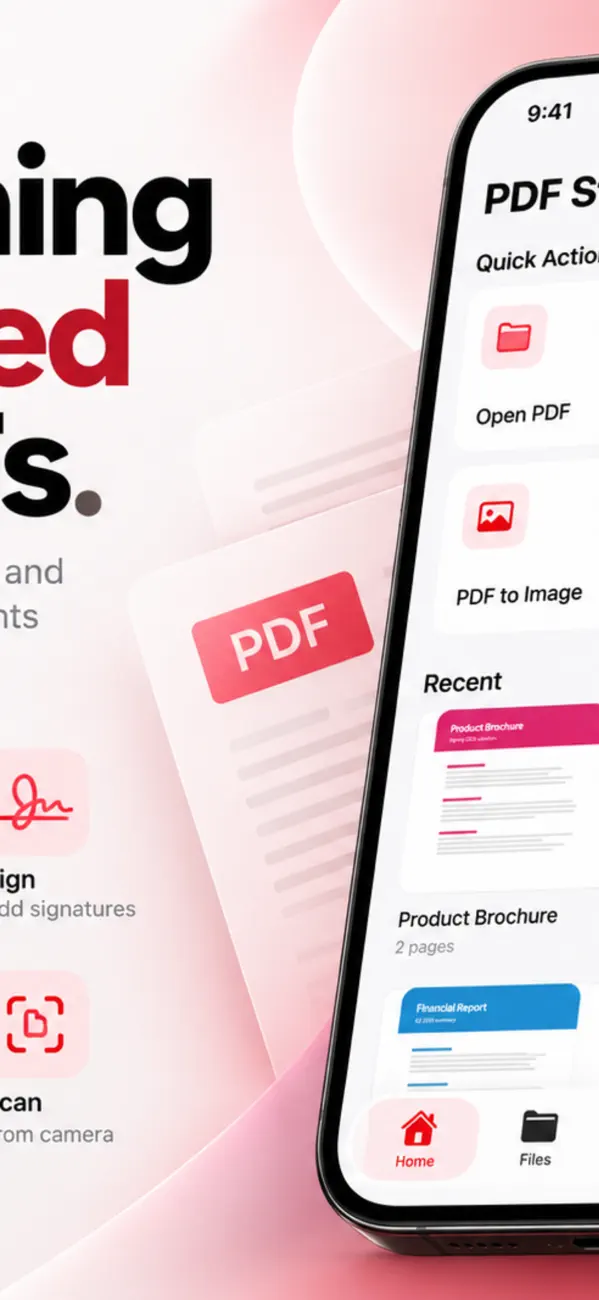


• Scan documents with automatic edge detection
• Turn photos or typed text into clean PDFs
• Merge, split, reorder, rotate and delete pages
• Compress to shrink file size — even to a target limit
• Crop, resize, add margins and page numbers
• PDF to Word, plain text or images
• Make scanned pages searchable with on-device OCR
Most PDF questions come down to five jobs: combining files, shrinking them, making a scan searchable, pulling the text back out, and hiding something before you send it. Here is how each one actually works on iPhone and iPad — and where the common advice goes wrong.
iOS has no built-in merge. The Files app can only create a new PDF from images, not join existing documents, so you need an app that rewrites the page tree.
In PDF Studio, open Organize, pick the files, and drag the pages into the order you want before exporting. Because merging rebuilds the document, check the page order after combining — bookmarks from the second file do not carry over into the merged one.
Almost always the images. A page scanned at 300 dpi in colour can be 2–4 MB on its own, while the same page as text is a few kilobytes. Fonts and embedded thumbnails add the rest.
Compression re-encodes those images at a lower quality. That is lossy and permanent, so keep the original if the document matters. For text-only documents compression barely helps — if a text PDF is huge, it is usually a scan pretending to be text.
A scan is a photograph. Your phone sees pixels, not letters, which is why searching returns nothing. OCR (optical character recognition) reads the shapes and writes an invisible text layer underneath the image, so the page still looks identical but becomes searchable and selectable.
PDF Studio runs OCR on device. Accuracy depends on the scan: straight pages, even lighting and 300 dpi or better give the best results. Handwriting and very small print remain unreliable in any OCR engine.
Honest answer: not exactly, and be suspicious of any tool that promises otherwise. A PDF stores glyphs at fixed coordinates; Word stores a flowing document. Converting means guessing where paragraphs, columns and tables were.
PDF Studio extracts editable text and paragraphs rather than reproducing the exact visual layout. For a report you intend to rewrite, that is what you want. For a form that must look identical, edit the PDF directly instead of round-tripping it.
This is the mistake that leaks documents: drawing a black box over text does not remove the text. It sits underneath the rectangle and can be copied straight out, which is how several well-known redaction failures happened.
Proper redaction deletes the underlying content, then draws the mark. PDF Studio's redact tool removes the text permanently. After redacting, search the document for a word you removed — if it returns nothing, it is genuinely gone.
It depends which password. An owner password only sets permissions (no printing, no copying) and most readers can ignore it. A user password encrypts the file, and without it the contents cannot be read.
Use a user password for anything confidential, and send the password through a different channel than the file itself. Emailing both together defeats the purpose.
The download is free, but PDF Studio – Reader & Tools has in-app purchases. PDF Studio – Reader & Tools also offers in-app purchases; the App Store listing has the current terms.
PDF Studio – Reader & Tools runs on iPhone and iPad and requires iOS 17.0 or later.
The download size is 18 MB.
The current version is 2.1, released on 2026-11-03.
PDF Studio – Reader & Tools is available in Arabic, CA, HR, CS, DA, Dutch, English, FI and more.
PDF Studio – Reader & Tools is built by BIR (Build Intelligent Reality), an independent software studio founded by Birkan Aksoy. BIR has 38 apps on the App Store.
Straight answers — no app required.


